

Docs · Running your site
Background jobs (cron)
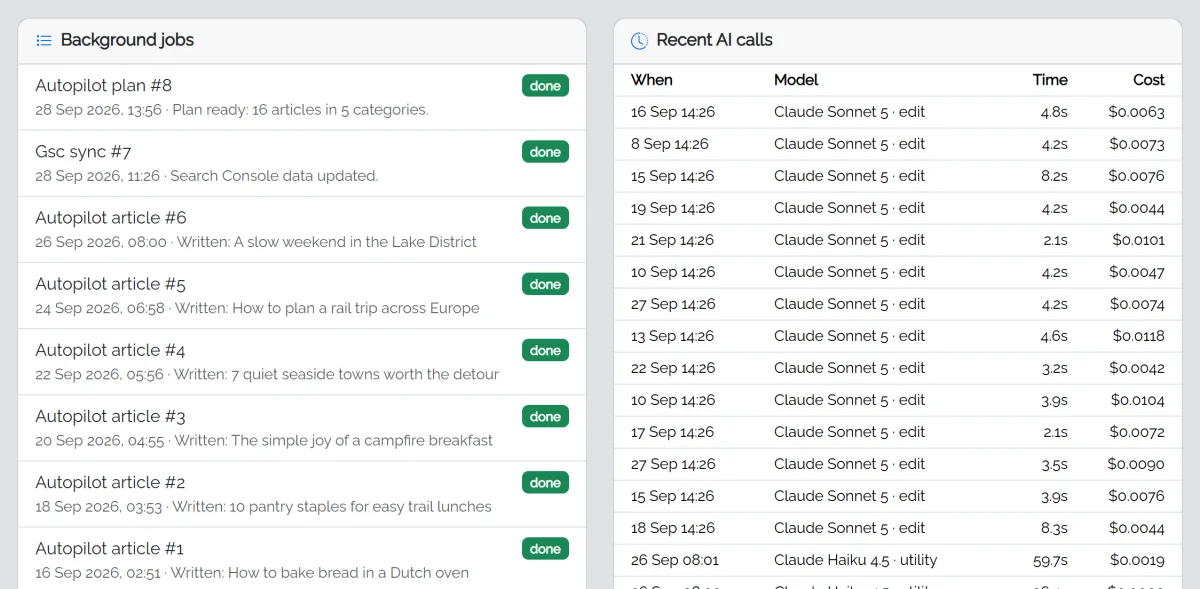
Writing articles, making images and fetching Search Console numbers happen in the background, one job at a time.
Without cron
Jobs run while any admin page is open in your browser. That's fine for a few articles, but a 40-article plan stops when you close the tab and carries on next time you log in.
With cron (recommended)
A cron job runs fastCMS every minute on your server, so jobs keep going day and night, scheduled articles publish on time, and Search Console updates daily.
In your hosting control panel, find Cron Jobs (in cPanel it's under Advanced), choose Once per minute (* * * * *) and enter this command, with your own path:
php /home/youraccount/public_html/cron.php >/dev/null 2>&1- The path is the folder where fastCMS is installed, followed by
cron.php. Your file manager or host shows the full path (often starting/home/or/var/www/). - Some hosts need the full PHP path, for example
/usr/local/bin/phpor/usr/bin/php8.3. Their help pages list it. - If your host only allows every 5 or 15 minutes, that works too; jobs just start a little later.
Checking it works
The Keep writing in the background step on your dashboard ticks itself off once cron has run in the last day. The AI Autopilot build page also shows whether cron is active.
Jobs and the time limit
Some hosts stop web requests after 30 or 60 seconds. Long articles can take longer than that, so without cron they may be retried. Cron runs from the command line, which usually has no such limit.
That's why, once cron is running every minute, the admin page leaves the background work to it instead of running jobs itself. Something you start may take up to a minute to begin (until cron's next run), then each step follows straight on. If cron stops, the admin page takes over again automatically.